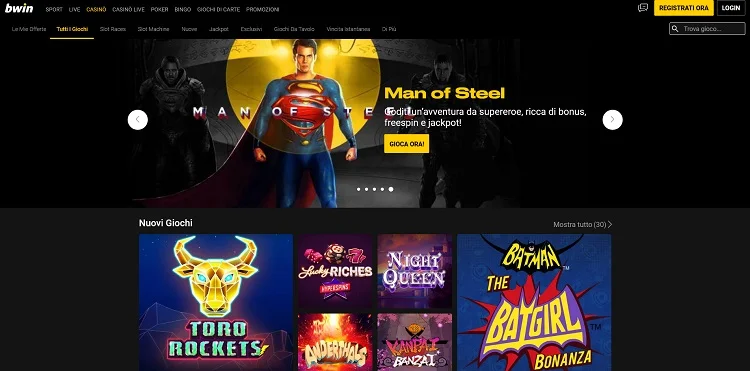

bwin Casino App
Take bwin Casino with you wherever you go. The official bwin app for iOS and Android gives you access to 1,000+ games, instant deposits, quick withdrawals, and exclusive mobile promotions.
Page Contents
bwin App for iPhone and iPad
The official bwin app is available on the Apple App Store for all iPhones and iPads running iOS 15.0 or later. The app has been optimised for a range of Apple devices including the latest iPhone models and all iPad variants.
iOS App Details
To find the bwin app on the App Store, open the App Store on your iPhone or iPad and search for "bwin" in the search bar. The official app is published by ElectraWorks Limited and features the distinctive bwin logo with a black and yellow colour scheme. Make sure you download the correct app, as there may be unrelated apps with similar names in the search results.
The iOS version of the bwin app includes full casino functionality, sports betting, live dealer games, and account management tools. It supports Face ID and Touch ID for biometric login, which is a significant convenience feature for regular players. The app also supports picture-in-picture mode, allowing you to watch a live dealer game in a small window while browsing other games or checking your account balance.
bwin App for Android
Android users can download the bwin app from the Google Play Store. The app is compatible with the vast majority of Android devices running Android 8.0 (Oreo) or later.
Android App Details
Open the Google Play Store on your Android phone or tablet and search for "bwin" to find the official app. As with the iOS version, the app is published by ElectraWorks Limited. Tap "Install" to begin the download and installation process, which typically completes within one to two minutes on a standard mobile data connection.
The Android version of the bwin app offers the same comprehensive functionality as the iOS counterpart. All casino games, payment methods, and account management features are available. Android users benefit from fingerprint authentication on compatible devices, as well as push notifications for bonus offers, deposit confirmations, and withdrawal updates.
Unlike some other gambling apps, the bwin app is available directly on the Google Play Store and does not need to be sideloaded from a third-party source. This means you can download and install it with confidence knowing it has been reviewed and approved by Google. The app receives regular updates that add new features, improve performance, and fix any reported bugs.
Step-by-Step Installation Guide
Follow these detailed instructions to download, install, and set up the bwin app on your device. The process is the same whether you are setting up the app for the first time or reinstalling it after a device change.
Open Your App Store
On your iPhone or iPad, tap the blue App Store icon on your home screen. On Android devices, tap the colourful triangle-shaped Google Play Store icon. If you cannot find the app store on your device, try searching for it using the built-in search function by swiping down on your home screen (iOS) or swiping up from the middle of the screen (Android).
Make sure your device is connected to Wi-Fi or has a strong mobile data signal before proceeding. While the bwin app is not exceptionally large, downloading it on a weak connection could result in the download failing or taking significantly longer than expected. A Wi-Fi connection is recommended for the smoothest experience.
Find the Official bwin App
Tap the search bar at the top of the app store and type "bwin" then tap Search. The official bwin app should appear as one of the first results. Verify that the publisher name is "ElectraWorks Limited" to ensure you are downloading the genuine app. The icon features the bwin logo in yellow against a dark background.
Be cautious of apps with similar names that might appear in the search results. Only download the app published by ElectraWorks Limited. Unofficial or third-party apps are not affiliated with bwin and could pose security risks to your personal and financial information.
Download and Install
On iOS, tap the "Get" button next to the bwin app listing. You may need to authenticate with Face ID, Touch ID, or your Apple ID password to authorise the download. On Android, tap the "Install" button and the download begins automatically. The app is free to download on both platforms and there are no subscription fees or hidden charges for using it.
The download size is approximately 95MB on iOS and 85MB on Android. On a typical broadband Wi-Fi connection, the download completes in under 30 seconds. Once downloaded, the app installs automatically and an icon appears on your home screen. You do not need to do anything additional to complete the installation process.
Open and Log In
Tap the bwin icon on your home screen to open the app for the first time. The app asks for permission to send notifications, which you can accept or decline based on your preference. Notifications are useful for receiving bonus offers and account updates but are not required to use the app.
If you already have a bwin account, tap "Log In" and enter your username and password. If you are new to bwin, tap "Register" to create a new account directly within the app. New players who register and make a qualifying first deposit of £10 can claim the Bet £10 Get 100 Free Spins welcome offer.
bwin App Features
The bwin mobile app is a full-featured gambling platform that puts the entire bwin experience in your pocket. Here are the key features that make it one of the most popular casino apps in the UK.
Full Game Library
Access the complete bwin casino game library with over 1,000+ titles directly from your mobile device. This includes all slot games, table games, and live dealer tables. Games are optimised for touchscreen controls and load quickly even on mobile data connections. The app includes search and filter functions to help you find your favourite games quickly among the extensive catalogue.
Mobile Payments
Make deposits and request withdrawals directly through the app using all the same payment methods available on the desktop site. This includes Visa and Mastercard debit cards, PayPal, and bank transfers. Apple Pay is also available as an additional option for iOS users, offering a particularly fast and convenient way to fund your account with a simple Face ID or Touch ID confirmation.
Live Casino
Stream live dealer games in high definition directly on your mobile screen. The bwin app supports live roulette, blackjack, baccarat, and game shows from providers including Evolution Gaming and Pragmatic Play Live. The video quality adapts automatically to your connection speed, ensuring smooth streaming whether you are on Wi-Fi or 4G/5G mobile data. Chat with dealers and other players in real time through the built-in chat function.
Push Notifications
Receive timely notifications about new bonus offers, free spins promotions, and account activity. The app sends alerts for deposit confirmations, withdrawal approvals, and when your verification status changes. You can customise which notifications you receive in the app settings, choosing to receive only the updates that matter most to you. Promotional notifications can be disabled while keeping essential account alerts active.
Biometric Security
Log in securely with Face ID, Touch ID, or fingerprint recognition instead of typing your password each time. Biometric authentication is faster, more convenient, and arguably more secure than traditional password entry, especially when you are in public places where someone might see your screen. Enable this feature in the Security section of the app settings after your first manual login.
Responsible Gambling Tools
All of bwin's responsible gambling features are accessible through the mobile app. Set or adjust deposit limits, enable session time reminders, take a cool-off period, or self-exclude directly from the app. The reality check feature provides periodic notifications showing how long you have been playing and your net profit or loss during the session. These tools work identically to their desktop counterparts.
App vs Desktop Comparison
Wondering whether to use the bwin mobile app or the desktop website? Both platforms offer the full bwin Casino experience, but there are some differences worth considering based on your preferences and playing habits.
| Feature | Mobile App | Desktop Website |
|---|---|---|
| Game Library | 1,000+ games | 1,000+ games |
| Live Casino | Full HD streaming | Full HD streaming |
| Biometric Login | Face ID / Fingerprint | Not available |
| Push Notifications | Supported | Browser only |
| Apple Pay | iOS only | Not available |
| Screen Size | Mobile / tablet | Full monitor |
| Multi-Table Play | Limited | Multiple windows |
| Offline Access | Account info only | Not available |
The bwin mobile app and desktop website are designed to complement each other. Many players use the desktop website when they are at home for the larger screen and multi-table functionality, then switch to the app when they are on the move. Your account, balance, and game history synchronise seamlessly between the two platforms, so you can start a session on your desktop and continue on your phone without any interruption.
For live casino enthusiasts, the desktop experience may be slightly preferable due to the larger screen offering better visibility of the dealer and game interface. However, the app's HD streaming quality is excellent on modern phones, and many players find the intimate, focused experience of playing on a mobile device to be just as enjoyable. The choice ultimately comes down to personal preference and your specific playing circumstances at any given time.
System Requirements
The bwin app is optimised for performance across a wide range of devices. Here are the minimum and recommended specifications for the best experience.
iOS Requirements
- iOS 15.0 or later (iOS 17+ recommended)
- iPhone 8 or newer / iPad Air 3 or newer
- At least 200MB free storage
- Stable Wi-Fi or 4G/5G connection
Android Requirements
- Android 8.0 Oreo or later (Android 12+ recommended)
- 2GB RAM minimum (4GB+ recommended)
- At least 150MB free storage
- Stable Wi-Fi or 4G/5G connection
Download the bwin App Today
Get the official bwin Casino app on your iPhone, iPad, or Android device. Enjoy 1,000+ games on the go, plus claim 100 Free Spins as a new player when you deposit £10 or more.
18+ only. New UK customers. Min deposit £10. 40x wagering. T&Cs apply. BeGambleAware.org